AI-assisted school management with a clear review process
Start with a specific workflow: timetable generation. Review how class requirements and teacher availability inform a proposed schedule, then check the result with your academic team before use.
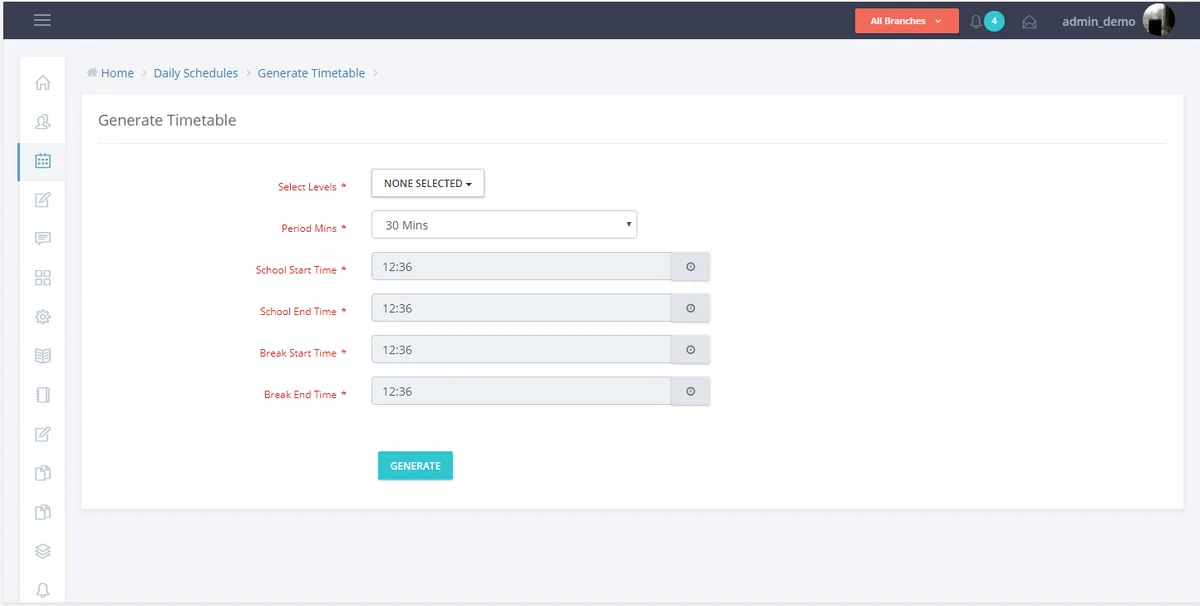
Availability: Timetable generation is described in the current product offering. Confirm access, supported constraints and rollout arrangements for your institution during the demo.
Define the scheduling problem
Bring your classes, subjects, teachers and timetable requirements. Ask the team to demonstrate how these inputs are represented and which constraints are supported.
Review the proposed timetable
A generated schedule needs an academic review. Check teacher allocations, subject coverage and exceptions before sharing it with staff or students.
Evaluate additional AI workflows individually
Request a demonstration and release-status confirmation for any other AI capability you are considering. Availability, data requirements and human review should be clear before it enters your implementation scope.
Questions schools ask
Is every AI workflow available to every school?
Availability should be confirmed for each workflow and institution. This page does not imply that all possible AI capabilities are included or live.
Can AI replace timetable review?
The academic team should review any generated timetable against school requirements and resolve exceptions before using it.
What should we bring to a demo?
Prepare a sample class structure, teacher allocations and constraints so the demonstration can address a real scheduling problem.
Related school workflows
See the workflow with your school’s requirements
Tell us your country, campus structure and priorities so the team can prepare a relevant demonstration.
Request a demo